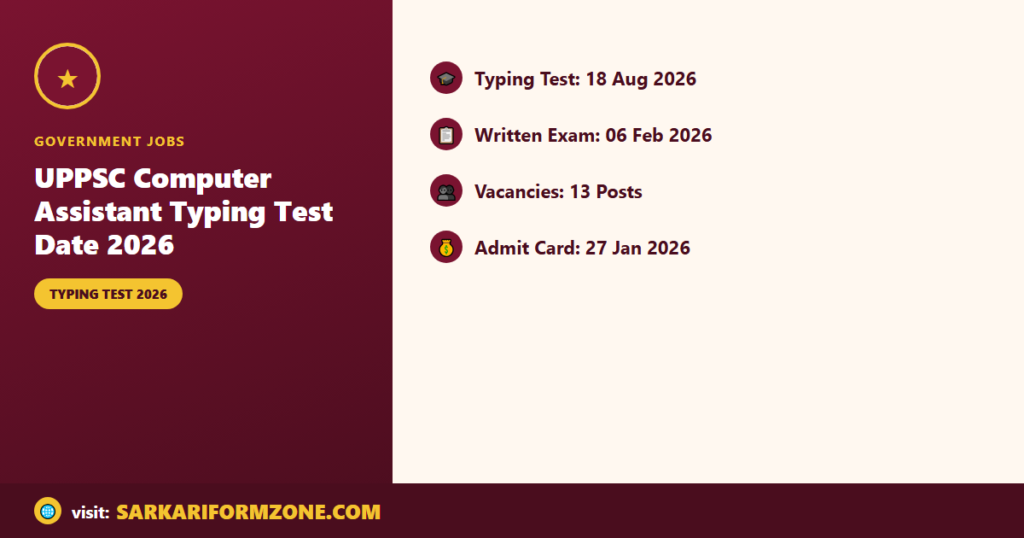
Uttar Pradesh Public Service Commission (UPPSC) has released the Typing Test date for the Computer Assistant recruitment. The Typing Test is scheduled for 18 August 2026.
Overview — UPPSC Computer Assistant Exam & Typing Test
The UPPSC Computer Assistant recruitment process included an exam held on 06 February 2026. Candidates who appeared in the written exam can check the Typing Test schedule and download related admit cards from the UPPSC portal using their enrollment number, registration number, or date of birth.
Important Dates
| Event | Date |
|---|---|
| Online Apply Start Date | 01 July 2025 |
| Online Apply Last Date | 01 August 2025 |
| Last Date For Fee Payment | 01 August 2025 |
| Correction Last Date | 08 August 2025 |
| Written Exam Date | 06 February 2026 |
| Admit Card Release Date | 27 January 2026 |
| Result Date | 13 March 2026 |
| Typing Test Date | 18 August 2026 |
Vacancy and Eligibility
| Post | Vacancies | Minimum Eligibility |
|---|---|---|
| Computer Assistant | 13 Post | 10+2 (Intermediate) and “O” Level computer course |
For complete eligibility details refer to the official notification.
Application Fee and Payment Methods
| Category | Fee |
|---|---|
| General / OBC / EWS | ₹ 105/- |
| SC / ST | ₹ 65/- |
| PH | ₹ 25/- |
Payment Mode (Online): Debit Card, Credit Card, Internet Banking, IMPS, Cash Card / Mobile Wallet.
Age Limit and Relaxation
Age limits as on 01 July 2025: Minimum Age: 18 Years; Maximum Age: 40 Years (Post Wise). UPPSC provides age relaxation for the Computer Assistant position as per their regulations.
Selection Process
- Written Exam
- Hindi Typing Test
- Document Verification
- Medical Examination
Admit Card & How to Download
The admit card for the earlier stages was released on 27 January 2026. To download admit card or result/call letter for the Typing Test or other stages, candidates should:
- Visit the UPPSC official portal (Candidate Login / Admit Card section).
- Open the notification related to Computer Assistant (Advt No : A-4/E-1/2025).
- Enter your Registration Number, Date of Birth, or Password as required.
- Submit details to view and download the admit card or result.
- Verify details such as name, roll number, exam date, time, exam center, photograph, and signature.
How to Check Typing Test Date
Candidates can check the Typing Test date and related notice on the UPPSC portal by logging in with their Enrollment Number, Registration Number, or Date of Birth.
Important Instructions
- Bring the downloaded admit card and a valid photo ID to the Typing Test center.
- Confirm all dates and venue details on the UPPSC official website before the exam.
- Follow the instructions mentioned on the admit card for reporting time and allowed items.
- Age relaxation and other concessions will be applied as per UPPSC rules; check the official notification for specifics.